


How to use Spotify Canvas to upload a cool video to your Spotify song.
Indiefy understands that as an artist you need to add value to your music when publishing it in stores, that's why we show you how to use this tool to get the most out of it when exposing your songs on networks.
Spotify Canvas is a tool that allows you to upload looping videos of 3 to 8 seconds long for one of your songs on Spotify. It is a tool that helps to give more visual relevance to your release within Spotify, it has been proven that it attracts people in a more organic way and has more user retention, generating a deeper experience for the user when listening to an artist’s music.
Spotify claims to demonstrate the effectiveness of Spotify Canvas in increasing:
Songs shared 145%.
Plays by 5%.
Profile visits by 9%.
Before you can use this tool, you need to have access to your Spotify for Artists, if you don't have a verified account yet, click here.
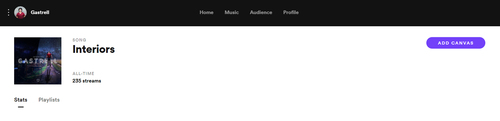
When you enter your artist page you will find the 'Music' tab, when you click on any of your songs you will see the option to add a Canvas on the top right-hand side.
Spotify now offers a list of Canvas designers for you. There is also a marketplace for producers, creators, writers, and engineers. Find it here.

Spotify has guidelines on what content can be used for your Canvas, learn about the technical specifications required, followed by a best practice guide.

